Industry applications

Printer and label workflows differ by department, not just by device model

Brother Printer helps buyers separate the operational reason for printing from the product category being purchased. That distinction matters because a school copy room, a corporate finance floor, a warehouse label bench, and a healthcare records station can all search for the same brand while needing very different output behavior.

Office printer applications across departments
Use-case pillars

Four application groups guide printer and consumable recommendations

Corporate Administration

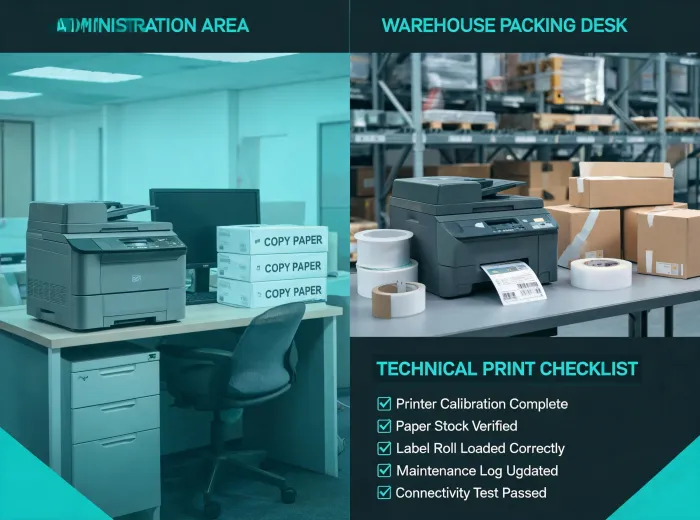
Shared workgroup printers must support everyday reports, invoices, HR forms, and executive packets. Buyers usually care about duplex printing, paper capacity, toner yield, scanner routing, and quiet service behavior. Standardization helps reduce incompatible cartridges and support surprises.

Education Operations

Schools need dependable output for teacher packets, enrollment forms, exams, office notices, and classroom labels. The selection conversation often includes cost-per-page expectations, simple driver setup, paper availability, and clear replacement procedures for non-technical staff.

Warehouse and Retail Labels

Label printers are chosen around media width, barcode clarity, cutter behavior, station footprint, and compatibility with shipping or inventory software. Consumables become operational parts, not casual accessories, because a label shortage can stop outbound work.

Healthcare Administration

Records desks, clinics, and scheduling teams need consistent printed output, scanner routing, and supply traceability. The workflow favors dependable monochrome printing, clear support escalation, and consumable programs that reduce emergency purchasing.

Transformation cases

Practical changes that make print operations easier to manage

A printer upgrade is often approved because the existing process is fragmented. One branch may buy toner locally, another may use an older driver package, and a third may rely on a label device that no longer matches current shipping workflows. Brother Printer frames these situations as process transformations: consolidate consumables, map devices to real duty patterns, document setup paths, and assign support responsibility. The outcome is not just a newer printer. It is a simpler operating model that helps teams anticipate paper, toner, label media, and maintenance needs before they interrupt work.

Procurement team reviewing print fleet plan

Bring us your industry workflow, not just a model number.

We will help translate it into printer classes, consumable assumptions, and support notes.

Discuss Your Application